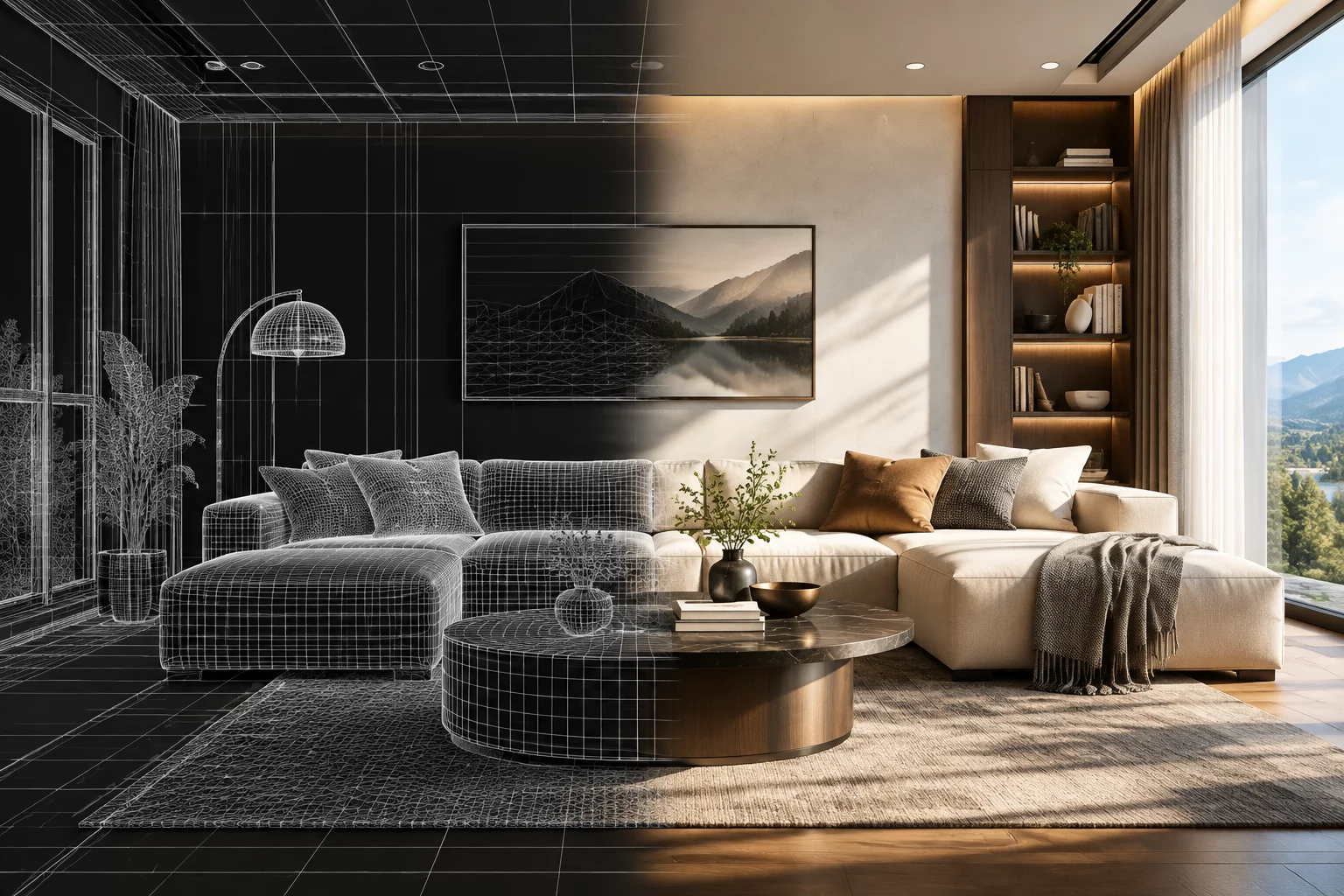
Overview & Workflow Architecture
Advanced techniques using AI Render V2 allow architectural designers to produce cinematic, hyper-realistic home interiors directly from structural wireframes. The underlying neural diffusion model accurately resolves lighting diffusion, ambient reflections, and realistic material roughness across every surface in real time.
Key Architectural Principle
Consistent physical geometry and precise room boundary definitions ensure the AI rendering engine accurately calculates natural light bounces, depth passes, and realistic shadow gradients.
Detailed Step-by-Step Implementation
Begin by structuring your room volumes with clean mesh boundaries. In the 3D viewport, establish key window openings and assign basic physical material types such as polished hardwood, satin drywall, and reflective glass. The AI engine uses these baseline surface identifiers as semantic prompts during the multi-pass synthesis.
Next, configure sun position and internal light fixtures to guide the photometric calculations. When you launch AI Render V2, adjust the prompt fidelity slider to retain wall geometry while letting neural networks generate photorealistic ambient occlusion, fabric micro-textures, and realistic outdoor vistas through the windows.
Core Guidelines
- Align digital light sources with physical window coordinates for consistent illumination.
- Assign primary PBR material identifiers before executing neural diffusion passes.
- Use selective region inpainting to fine-tune furniture pieces without re-rendering entire scenes.
- Export high-bitrate image passes for final client presentations and marketing portfolios.
AI Render V2 bridges fast parametric draft modeling and final architectural presentation, reducing rendering turnaround from several hours to under twenty seconds per high-resolution camera view.
Engine: AI Neural Render V2; Recommended resolution: 3840x2160; GPU acceleration: DirectX 12 / Vulkan; Denoiser: Hybrid AI Realtime.
Can AI Render V2 be used offline? Core structural modeling runs locally on your workstation, while complex neural denoising and texture synthesis leverage accelerated cloud processing modules.
Open your project file in Scetchap Info, navigate to the Render toolbar tab, select AI Render V2 mode, and click Calibrate Scene. The engine will instantly parse all existing geometry and camera positions.
A modern multi-core processor paired with 16GB of system RAM and a dedicated graphics card with at least 4GB VRAM delivers smooth interactive viewport feedback and fast final output.
Community Discussion
Share insights with architectural modelersChris M.
3D VisualizerThe AI render saves so much time.
Leave a Comment or Question